 lila
A personal reading appliance with pixel-perfect typography.
Bring DRM-free EPUB, Markdown or HTML to the lila app on your Mac. It typesets each book once, justified by Knuth–Plass, hyphenated, in hand-tuned bitmap type, and shows you exactly how it will look by running the reader’s own drawing code. Then it puts the book on your Xteink reader, over USB or Wi-Fi, and the reader does almost nothing but show a page and turn it.
For macOS 26 on Apple silicon, and the Xteink X3, X4, X4 Pro and X4 Classic.
Named for Lila, a very small black pug who was a little awkward, and perfect.
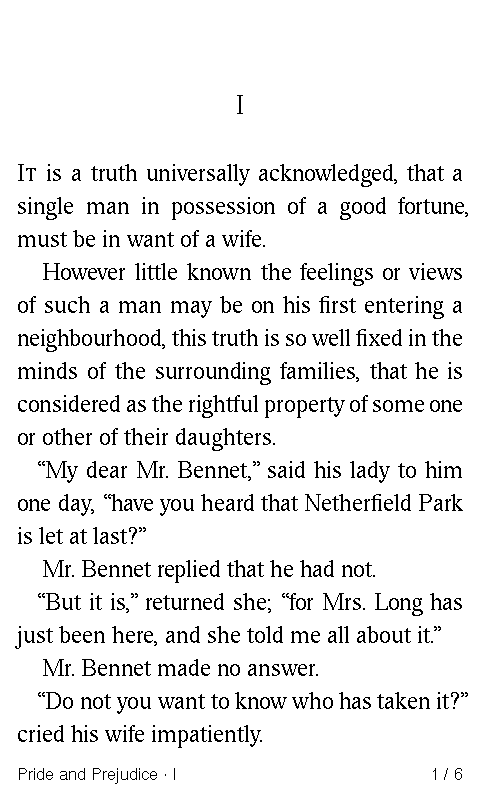
Chapter I, page 1 of 6
Your shelf, then your page.
Press Back from the page and you’re home. At the top is the book you’re reading, with how far you are and how many pages are left in the chapter. Below it is the rest of your shelf, most recent first, or by title or author. A book without a cover gets one set in type.
Press Continue and you’re back where you left off, with the book and chapter in the footer and your place in the chapter beside them.
-
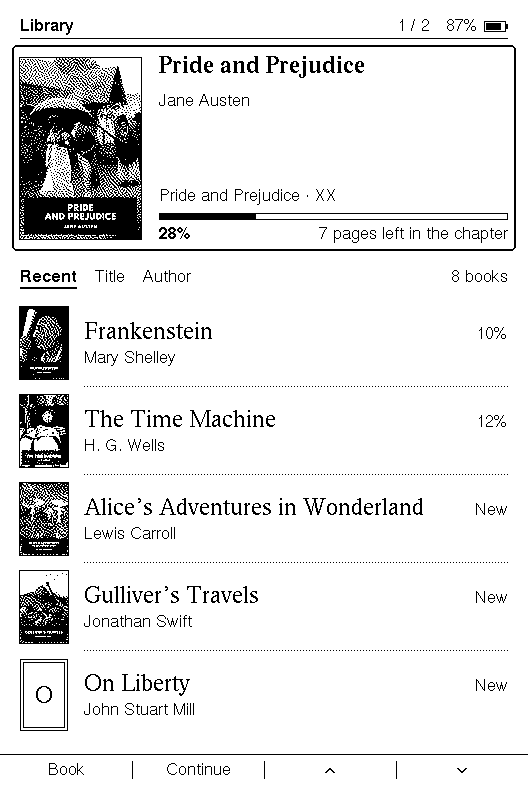
Home: the book you’re reading, then your shelf.
-
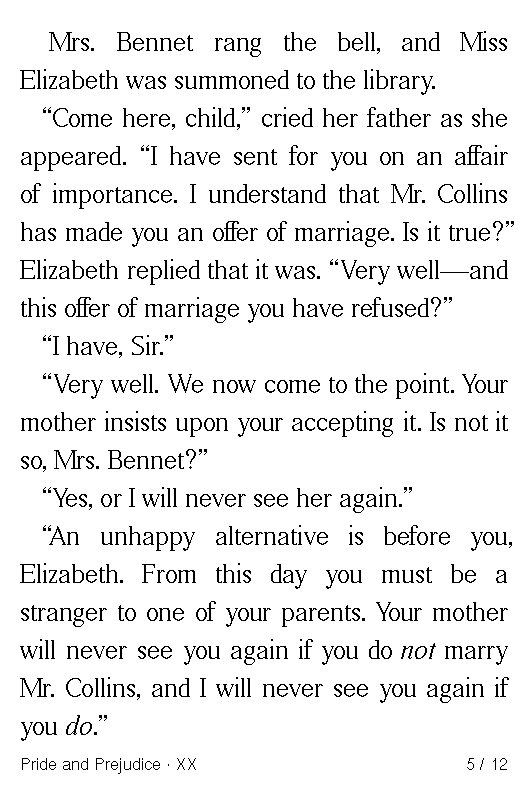
Continue: back on the page you left.
Times, redrawn by hand for a small screen.
lila’s type is bitmap Times, redrawn by hand, with every size tuned pixel by pixel. Each letter is a decision about which pixels to light, made once for this screen rather than left to a rasterizer on every page.
Swipe sideways to see the whole lines.
- Paragraphs indent exactly one em: 29 pixels at Times 21.
- “fi” is drawn as one letter, a ligature, in “first” and “fixed”.
- Knuth–Plass, the algorithm TeX uses, chooses every line break in the paragraph together, with hyphenation in eight languages.
Nothing to distract.
No streaks, badges, notifications, store or account prompts. Wi-Fi comes on only while you sync, and goes off when you’re done. The reward is reading. Around the page there is only what a reader needs, drawn in the same type.
-
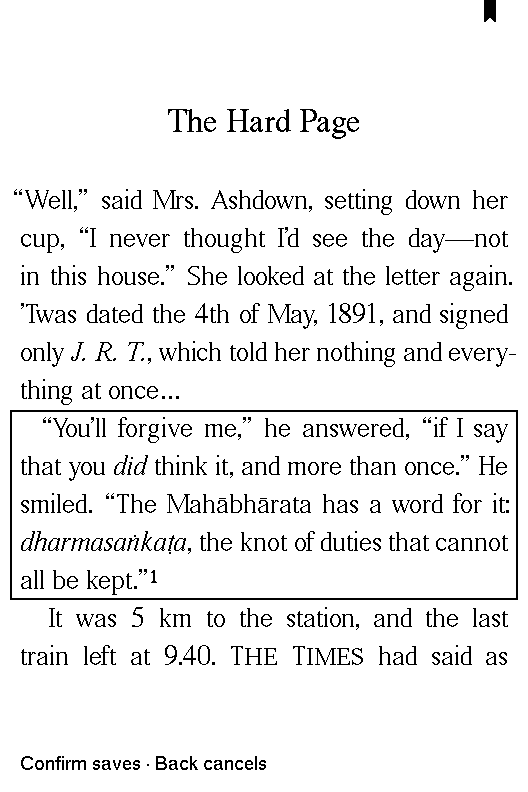
Saving a passage. Confirm saves; Back cancels.
-
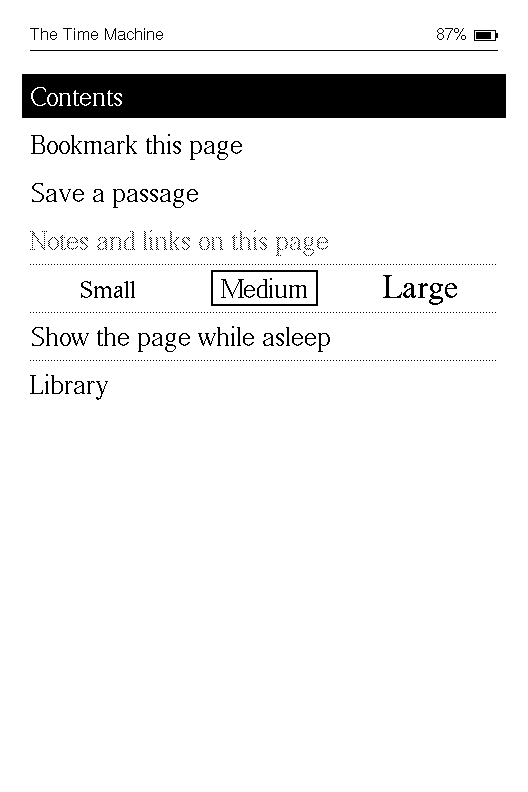
The menu, one key away from the page.
-

Asleep, the book’s cover stays on the glass.
-
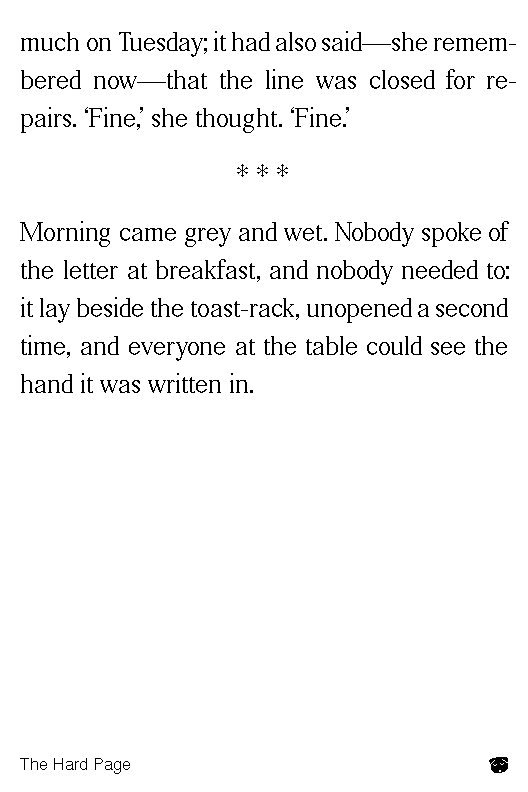
Or the page you left, with Lila asleep in the corner.
How it works.
The work happens once, on your Mac. The reader only shows pages.
-
Bring your books
Add DRM-free EPUB, Markdown or HTML to the lila library on your Mac, or have lila watch a folder: new files there join your library, and when you edit one, its book follows. Your originals stay yours, in a library you can back up to any folder.
-
lila sets them once
Knuth–Plass line breaking, hyphenation, hanging punctuation and lila’s own Times. A publisher’s sizes, margins and fonts are ignored on principle: lila sets the book.
-
See the exact pages
The preview is drawn by the reader’s own renderer, so what you previewed is what you get, to the pixel.
-
Send them to your reader
Over USB, or over Wi-Fi once you’ve paired the reader with your Mac by cable. Choose Wireless sync on the reader and it syncs with your Mac alone, encrypted, with no internet or account. A book you change on the Mac is updated on the reader the next time it syncs. The layout travels with the book, so turning a page never waits on it.
Four small readers.
Each book is set for the reader it’s going to, at that screen’s own pixels and with its own controls.
| Reader | Screen | Controls | Medium type |
|---|---|---|---|
| Xteink X3 | 528 × 792, 259 ppi | Keys | Times 21 |
| Xteink X4 | 480 × 800, 217 ppi | Keys | Times 18 |
| Xteink X4 Pro | 480 × 800, 217 ppi | Side keys, touch, Home key, front light | Times 18 |
| Xteink X4 Classic | 480 × 800, 217 ppi | Keys | Times 18 |
Get lila.
The Mac app keeps your library, prepares each book and installs lila on your reader over USB, then keeps it up to date over USB or Wi-Fi. Before it first writes anything, it backs up the reader’s entire flash and checks the firmware’s signature, and it can put the reader’s own firmware back.
It keeps working: installed books, reading state and recovery never depend on a subscription. Updates arrive in the app.
Version 0.7.0, for macOS 26 on Apple silicon.